
Help Center
Frequently asked questions and how to contact us.
About the game
How much does it cost?
It is a one-time purchase. No ads and no in-app purchases.
Which devices are supported?
iPhone with iOS 18 or later, and iPad with iPadOS 18 or later. On iPad you can also play in landscape.
Android devices with Android 9 or later and 4 GB or more of memory are also supported.
Can I play offline?
Yes. You can play without an internet connection.
Which languages does the game support?
The game is in 14 languages: English, Japanese, Traditional Chinese, Simplified Chinese, Korean, Latin American Spanish, Brazilian Portuguese, German, French, Italian, Russian, Indonesian, Thai and Vietnamese. It follows your device's language, and you can also switch it in Settings.
Can I stream or post videos of the game?
Yes. You are free to stream, post videos and earn money from them. You do not need to ask or let us know.
Streaming and video guidelines, with an asset pack (in Japanese) →
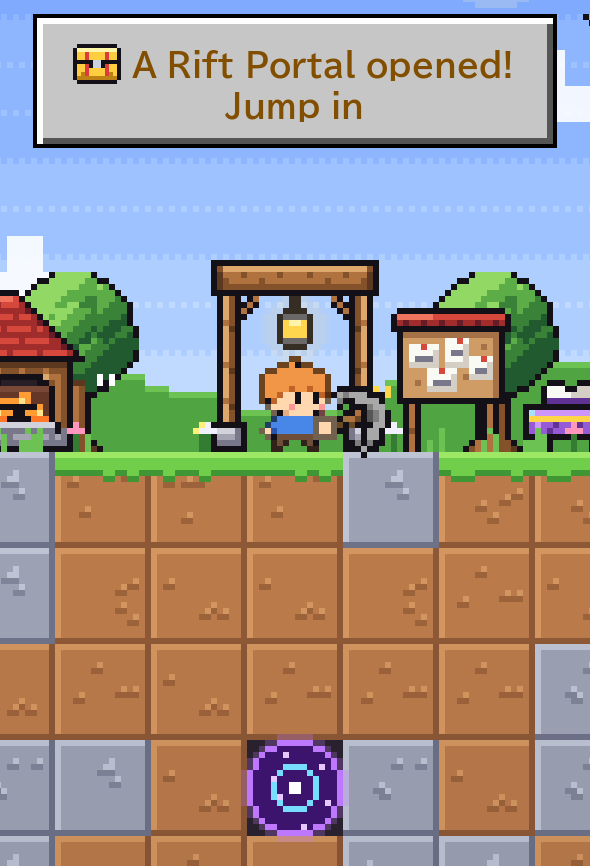
What is a Rift Portal?
A purple swirl that now and then opens while you dig. Jump in before time runs out.
Save data
How does saving work?
The game saves on its own, for example when you finish a dig or when you upgrade or buy something. You never need to save by hand.
Can I move my progress to a new device?
Yes, on iPhone and iPad, with iCloud backup. On your old device, tap "Back Up Now" under "iCloud backup" in Settings. On the new device, sign in to the same Apple Account, open Settings on the title screen and tap "Restore Backup". Backups are not made automatically, so make one before you switch. iCloud can take a while to sync: on the new device, tap "Check Backup" and check the backup's date before you restore. iCloud Drive needs to be turned on.
For now, the Android version has no way to move your progress to a new device.
What happens if I delete the app?
The save data on your device is deleted and cannot be recovered. On iPhone and iPad, an iCloud backup stays even after you delete the app. If you made one, reinstall the app and tap "Restore Backup" under "iCloud backup" in Settings to get back the progress you backed up.
Save data on Android is not included in Google's backups, so it cannot be restored after you reinstall.
How do I delete my iCloud backup?
On your iPhone or iPad, open the Settings app, go to managing your iCloud storage and delete PicoCraft's data. A deleted backup cannot be recovered.
Problems and other questions
The game runs slowly or my device gets hot
Turn on "Power saving" in Settings. It lowers the frame rate to take load off your device.
I found a bug
In the app, go to "Settings", then "Contact", then "Bug", and tell us when it happened and what went wrong. Your device, progress and screen info are sent along with it, which helps us look into it.
Will I get a reply to a message I send from the app?
Messages sent from the app do not include your email address, so we cannot reply to them. If you need a reply, tap "Agree and Open Email" to send it from your email app, or email us at the address below.
Contact us
From the app
In "Settings", then "Contact", you can report a bug or send us feedback and questions. Your device and game info are sent along with it. We cannot reply to messages sent from the app.
If you need a reply, tap "Agree and Open Email". Your email app opens a message with what you wrote and your device and progress info. Just send it.
By email
If the app will not start, or for anything else, email us at:
support@hachiware.co.jp- Including your device model, OS version and app version helps us help you sooner.
- It may take a few days for us to reply.